Table of Contents
- Why Secure Mobile Apps for Inspections Matter
- Mobile Inspection App Security Features You Need
- PIPEDA Compliant Inspection Software for Field Teams
- Alternatives to Manual Field Data Entry for Inspections
- How to Choose a Secure Mobile Inspection App
- Conclusion
- Frequently Asked Questions
Last Updated: September 2, 2026
Why Secure Mobile Apps for Inspections Matter
Field inspections demand precision. A misplaced note, lost photo, or unclear documentation can cost hours of rework or create compliance gaps that expose your organization to liability. Most inspection teams still rely on paper clipboards, scattered phone photos, and manual report assembly, friction that compounds across every site visit.
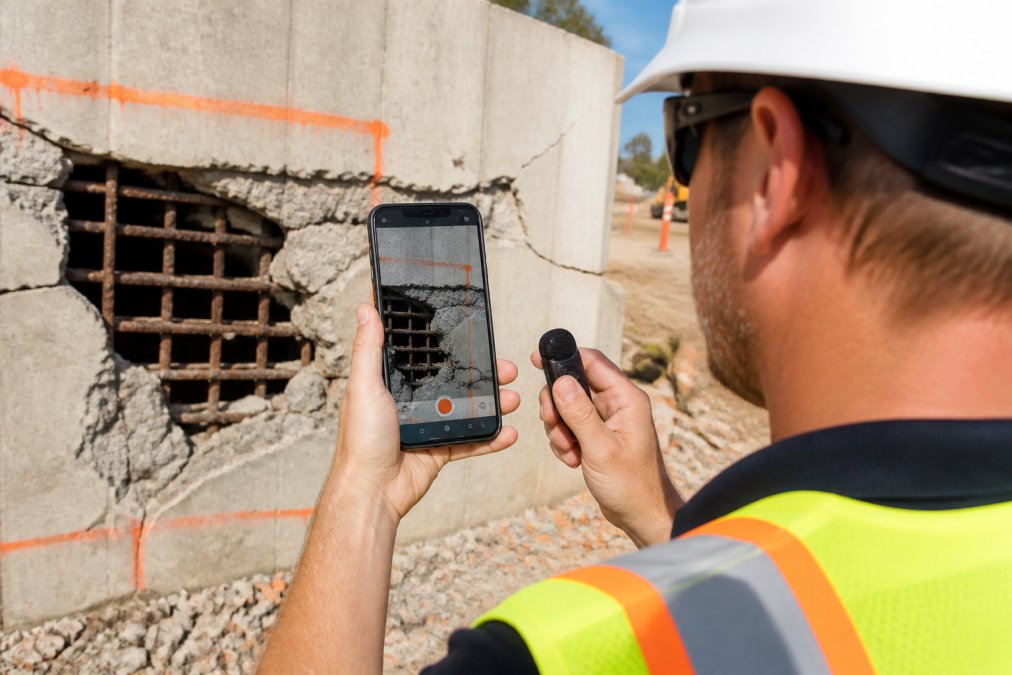
A secure mobile app for inspections transforms how field teams capture and organize evidence. Instead of hunting through hundreds of unmarked photos, inspectors document systematically: geotagged images, timestamped notes, searchable records, and exportable reports from a single device. The security layer matters equally. Field inspections often involve sensitive site data, structural defects, environmental findings, or compliance records that require encryption, access controls, and audit trails to meet regulatory obligations.
At PhotoLog, we’ve built a tool designed for this workflow. The app automatically geotagges every photo, time-stamps entries, and lets inspectors add typed or voice notes that make images instantly searchable by keyword or date. Below, we’ll break down what makes a secure mobile app essential for field teams, which security features actually matter, and how to evaluate options that fit your specific workflow.
Mobile Inspection App Security Features You Need
Not every security feature matters equally. Real security requires a layered approach: encryption at rest and in transit, access controls that limit who sees what, audit trails that track every action, and compliance frameworks that align with regulations like PIPEDA.
End-to-End Encryption and Data Transmission
End-to-end encryption ensures that data remains unreadable during transmission and at rest. Without it, inspection photos and site notes are vulnerable to interception or unauthorized access.
Encryption at Rest (Local Storage)
Data stored on a field device must be encrypted using AES-256 (Advanced Encryption Standard with 256-bit keys). When evaluating an app, verify that it uses AES-256 for local data storage. Key management is equally critical, the app should never store decryption keys in the same location as encrypted data. A well-designed system keeps keys in a secure key store (managed by the device’s operating system, such as Android’s Keystore or iOS’s Secure Enclave) and rotates them periodically. Ask vendors: Where are encryption keys stored? How often are they rotated?
Encryption in Transit (Network Transmission)
When inspection data leaves the device, it must be encrypted during transmission using TLS (Transport Layer Security), version 1.2 or higher (RFC 4346 specifying TLS 1.1). TLS 1.3 offers stronger security and faster performance. Verify that the app uses certificate pinning, a technique that prevents man-in-the-middle attacks by validating the server’s SSL certificate against a known, trusted certificate stored in the app.
Encryption Key Rotation and Lifecycle
Encryption keys should be rotated regularly, typically every 90 days for active systems. Rotation limits the window of exposure if a key is ever compromised.
Role-Based Access Control (RBAC)
Not every team member should see every inspection record. A role-based access control (RBAC) system ensures that field inspectors access only the sites and data relevant to their assignments, while supervisors can view team progress, and administrators manage permissions and audit logs.
Common RBAC Roles in Inspection Software
- Field Inspector: Can create new inspections, capture photos and notes, view assigned sites only.
- Site Supervisor: Can view all inspections at assigned sites, approve or reject findings, create corrective actions.
- Regional Manager: Can view inspections across multiple sites, generate compliance reports, manage team assignments.
- Administrator: Can create and delete user accounts, define custom roles, manage data retention policies, view all audit logs.
When evaluating an app, ask: Can you define custom roles? Can you restrict access by project, site, inspection type, or data classification? Can you revoke access immediately if a team member leaves?
Audit Trails and Compliance Reporting
An audit trail is a complete, tamper-proof record of who accessed what data, when, and what changes they made. For industries subject to regulatory oversight, construction, environmental consulting, infrastructure management, occupational health and safety, audit trails are often mandatory.
What a Compliant Audit Trail Should Record
- Data Access: Who viewed which inspection records, when, and from which device or IP address.
- Data Modification: Who changed which fields, what the old value was, what the new value is, and when.
- Data Deletion: Who deleted which records and when.
- Permission Changes: Who granted or revoked access to which users and when.
- Export and Download: Who exported or downloaded inspection data, in what format, and when.
- Authentication Events: Successful and failed login attempts, password changes, and multi-factor authentication events.
Audit logs should be immutable, once written, they cannot be modified or deleted, even by administrators. PhotoLog generates exportable field reports as ZIP files with formatted documentation, photos, notes, GPS data, and a CSV log, supporting compliance requirements by providing complete, verifiable records of inspection activity.
PIPEDA Compliant Inspection Software for Field Teams
PIPEDA compliance isn’t optional if your inspections involve personal information or sensitive organizational data. The Personal Information Protection and Electronic Documents Act requires that organizations implement reasonable security measures, limit data collection to what’s necessary, provide individuals with access to their own information, and notify affected parties in the event of a data breach (Office of the Privacy Commissioner of Canada on PIPEDA). For inspection software, this translates to encryption, access controls, data retention policies, breach notification procedures, and documented accountability.
Choosing software built with Canadian regulations in mind reduces legal risk and simplifies compliance audits.
Data Residency and Geographic Controls
PIPEDA does not explicitly mandate that personal information be stored in Canada, but the Office of the Privacy Commissioner has stated that organizations remain accountable for personal information even when stored outside Canada. If your inspection software stores data in US data centers, that data may be subject to US government access requests under the CLOUD Act or other US laws.
When selecting inspection software, verify: Where are servers physically located? Can you enforce data residency in Canadian data centers? What happens to data in transit? Is there a Data Processing Agreement (DPA) that specifies how the vendor handles personal information on your behalf?
Audit Logs and PIPEDA Accountability
PIPEDA requires organizations to be accountable for personal information in their custody or control. Inspection software must generate audit logs that demonstrate what personal information you hold, who has accessed it, and what safeguards are in place. These logs must be retained for a period that aligns with your regulatory obligations. For construction inspections, this is often 7 years; for environmental inspections, it may be longer. Ask vendors: How long are audit logs retained? Can you retrieve logs from a specific date range? Can you export logs in a standard format (CSV, JSON) for independent audit?
Data Subject Access Requests
Under PIPEDA, individuals have the right to request access to all personal information an organization holds about them. Inspection software must support this right by allowing you to retrieve and export all data associated with a specific person. Ask: Can you search for and retrieve all records containing a specific person’s name or contact information? Can you export this data in a human-readable format?
Data Retention and Deletion Policies
PIPEDA requires that personal information be retained only as long as necessary for the purposes for which it was collected. Inspection software should support configurable data retention policies so that you can automatically delete or archive old inspection records according to your legal and operational requirements. Verify that the software allows you to define retention periods by inspection type, project, or date and supports scheduled deletion.
Breach Notification and Incident Response
PIPEDA requires that organizations notify affected individuals and the Privacy Commissioner if a breach of security safeguards results in unauthorized access to personal information. Ask vendors: Do you have a documented incident response plan? How would you notify us of a breach and what is the timeline? Can you identify which records were affected by a breach?
Vendor Accountability and Transparency
When selecting PIPEDA-compliant inspection software, prioritize vendors who provide a detailed privacy policy, offer a Data Processing Agreement, undergo regular security audits (SOC 2 Type II is the gold standard), and respond promptly to security and privacy questions.
Alternatives to Manual Field Data Entry for Inspections
Manual field data entry, writing notes by hand, photographing with a standard camera app, then transcribing findings into a report, introduces delays, transcription errors, and lost context. A field inspector might take 50 photos and spend hours afterward trying to remember which photo corresponds to which defect.
Offline Data Capture and Real-Time Synchronization
Field work often happens in areas with poor or no cellular coverage. An app that requires constant internet connectivity is impractical for remote sites, underground inspections, or areas with network dead zones. Offline-first design means the app captures data locally on the device and syncs automatically when connectivity is restored.
PhotoLog works offline, capturing and storing all data locally until connectivity is restored. The app automatically geotagges every photo, adds timestamps, and allows voice or typed notes to be added in the field. When the device reconnects, all data syncs seamlessly.
Automated Workflows and Customizable Checklists
Standardized checklists ensure that inspectors don’t miss critical items and that every site is assessed consistently. A customizable checklist system lets you define the exact inspection points relevant to your work. Automated workflows take this further, when an inspector flags a defect during the inspection, the app can automatically create a corrective action, assign it to a specific team member, set a deadline, and track resolution.

How to Choose a Secure Mobile Inspection App
The right app depends on your specific workflow, team size, regulatory environment, and integration needs. Define your non-negotiables: Do you need offline capability? PIPEDA compliance? Integration with existing project management software? Multi-site team coordination?
Test offline functionality by downloading the free tier or requesting a trial. Conduct an actual inspection without cellular coverage. Does the app work as promised? Does sync happen automatically when you reconnect?
Verify security claims by asking vendors directly: What encryption standard do you use? Where are servers located? Can you provide a security audit or SOC 2 certification? Do you maintain audit logs?
Evaluate reporting output by downloading a sample report or export. Does it look professional? Can you customize branding? Can you export to formats your team already uses (PDF, CSV, Excel)?
Check integration capabilities to see if the app connects to your existing project management, CRM, or accounting software. Calculate the time investment, implementation requires training, workflow design, and initial setup. Larger teams see faster ROI.
Conclusion
Field inspections are only as good as the documentation they produce. A secure mobile app for inspections replaces scattered photos and handwritten notes with systematic, searchable, auditable records. Encryption protects sensitive site data. Role-based access ensures only authorized personnel see specific findings. Audit trails satisfy regulatory requirements. Offline capability keeps inspectors productive in remote areas.
PhotoLog transforms your Android device into a professional field documentation tool with automatic geotagging, timestamped notes, and exportable field reports. The app simplifies event organization with session-based keys, enables easy sharing via any phone app, and provides privacy control with switchable GPS. Download PhotoLog free and see how much time your team can reclaim by moving from manual data entry to structured, searchable field documentation.
Frequently Asked Questions
Q: What features make a secure mobile app for inspections essential for field teams?
A: A secure mobile app for inspections should include end-to-end encryption for data in transit and at rest, offline capability for remote areas, geotagging for location verification, audit trails for compliance, and role-based access control. These features ensure sensitive site documentation remains protected while teams maintain productivity in areas with poor connectivity. Automated time and date stamping also adds verification integrity to every capture.
Q: How does a PIPEDA compliant inspection software protect sensitive project data?
A: PIPEDA compliant inspection software ensures data is stored on Canadian servers, encrypted during transmission, and subject to strict access controls. It provides audit trails showing who accessed what data and when, allows teams to control user permissions by role, and includes data retention policies that comply with privacy regulations. Canadian data hosting and encryption standards are critical for teams handling confidential site information and client records.
Q: What are the main alternatives to manual field data entry for inspections?
A: Digital inspection apps eliminate manual entry through automated geotagging, time-stamping, and voice or typed annotations that sync automatically to cloud storage. Customizable digital checklists replace paper forms, and exportable reports with formatted data reduce transcription errors. Offline data capture ensures inspectors capture complete information even without connectivity, then synchronize when online.
Q: Can secure mobile inspection apps work offline, and how does data sync when connectivity returns?
A: Yes, secure mobile inspection apps capture photos, notes, GPS coordinates, and form data locally on the device when offline. Once connectivity is restored, the app automatically synchronizes all data to secure cloud storage using encrypted transmission. This ensures no data loss in remote areas, maintains security throughout the sync process, and allows teams to continue working without interruption regardless of signal availability.
This article was written using GrandRanker