Table of Contents
- What Is a Field Report and Why It Matters
- Key Components of Professional Field Reports
- Why Switch to Digital Inspection Checklists
- Field Report Writing Best Practices
- Construction Site Report Examples and Templates
- Mobile Field Reporting Tools and Workflow Automation
- Legal and Compliance Considerations for Field Documentation
- Common Mistakes to Avoid in Field Reporting
- Frequently Asked Questions
Last Updated: September 3, 2026
What Is a Field Report and Why It Matters
A field report is a documented record of observations, measurements, and findings collected during on-site inspections, surveys, or project work. It serves as official evidence that work was performed, conditions were assessed, and decisions were made based on factual data. Field reports create an audit trail for compliance, protect against liability disputes, and provide documentation for project handoffs and client communication.
A poorly organized field report can cost hours in reconstruction, expose you to regulatory scrutiny, or fail you in a dispute where documentation is your only defense. A well-structured report with precise timestamps, geotagged evidence, and clear findings protects your business and accelerates your workflow.
Key Components of Professional Field Reports
A professional field report must contain specific structural elements to be legally defensible and operationally useful.
Executive Summary: A brief overview of what was inspected, when, and key findings. This is the first thing clients and regulators read.
Site Identification and Project Governance: Record the exact location, project name, date, time, and inspector name. Include GPS coordinates if precision matters for your industry.
Observations and Qualitative Data: Describe what you saw, heard, or measured using specific language. “Debris scattered across the north foundation area, creating a trip hazard” is more useful than “the site looked messy.”
Quantitative Metrics: Include measurements, counts, or percentages. “Three cracks observed in concrete, each approximately 2 millimetres wide” is more useful than “some cracks were found.”
Photographic Evidence: Images should be organized and referenced within the report text. Geotagged and time-stamped photos create an automatic chain of custody. Tools like PhotoLog automatically tag every photo with location and time data, eliminating manual entry errors.
Findings and Analysis: Summarize what the observations mean. Did the site meet standards? Were defects identified? What is the severity?
Recommendations: State what should happen next. Repair work needed? Further investigation required? Approval to proceed?
Sign-off and Version Control: Include inspector signature (or digital verification) and document version number. Maintain a clear record of revisions.
Why Switch to Digital Inspection Checklists
Paper-based field reports create friction at every step. Your inspector fills out a form on site, returns to the office, transcribes notes into a computer system, manually attaches photos, and sends the document through email. Each handoff introduces delays and errors.
Digital inspection checklists eliminate these steps. A mobile-first approach lets inspectors capture data where the work happens, in real time. No transcription. No lost notes. No photos separated from their context.
The real advantage is searchability. With a digital system, you can find all photos from a specific date, location, or project using a single search. Digital checklists also ensure consistency, every inspector uses the same template, so your reports have uniform structure and completeness.
Digital checklists create accountability with timestamps for data entry, GPS verification of location, and automatic records of who did what and when. This level of documentation is increasingly expected by regulators and clients.
Field Report Writing Best Practices
Clear field report writing starts with specificity. “The roof showed active water staining on the underside of three rafters in the northeast corner, consistent with a current leak” tells the reader exactly what was observed and where.
Use active voice when describing actions. “The inspector observed cracks in the foundation” is clearer than “cracks in the foundation were observed.”
Organize your observations logically by location, system, or severity. A reader should quickly understand the layout of your findings. Use a standard operating procedure that breaks down a site into zones or systems, then documents each in sequence.
Keep observation separate from interpretation. “Water staining on the underside of rafters” is observation. “This indicates an active leak requiring immediate repair” is analysis. Separating them helps readers follow your reasoning.
Include dates, times, and weather conditions where relevant. “Conducted inspection on September 3, 2026, at 2:15 PM under clear skies with ambient temperature of 18°C” provides context that explains why certain findings may or may not be visible.
Use consistent terminology throughout. If you call something a “defect” in one section, don’t call it a “deficiency” in another. Consistency makes your report easier to search and reduces ambiguity.
Proofread before submitting. Typos undermine the credibility of the entire document.
Construction Site Report Examples and Templates
Construction site reports document active work, safety conditions, and progress against a schedule. A standard construction site report template includes sections for:
- Daily Activity Log: What work was performed, by whom, and for how long
- Site Safety Inspection: Hazards observed, PPE compliance, near-misses
- Material Deliveries: What arrived, quantities, condition on arrival
- Equipment Status: What machinery is on site, operational status, maintenance needs
- Weather Conditions: Affects scheduling and material handling
- Visitor Log: Who accessed the site and why
- Incident Reporting: Any accidents, injuries, or property damage
- Sign-off: Superintendent or site manager approval
The key is capturing enough detail to reconstruct what happened on any given day. If a dispute arises months later, your daily reports are your evidence.
Many construction teams use a printable template filled out on site, then photograph and upload. A digital-first template filled out directly on a mobile device eliminates the extra step.
Templates should be customized to your specific projects and workflows. A general contractor building residential homes needs different fields than a commercial contractor managing a large mixed-use development.
Mobile Field Reporting Tools and Workflow Automation
Mobile field reporting tools have transformed how teams capture and organize site data. The best tools integrate geotagging, time-stamping, and voice or typed annotations into a single workflow so inspectors spend less time managing data and more time conducting inspections.
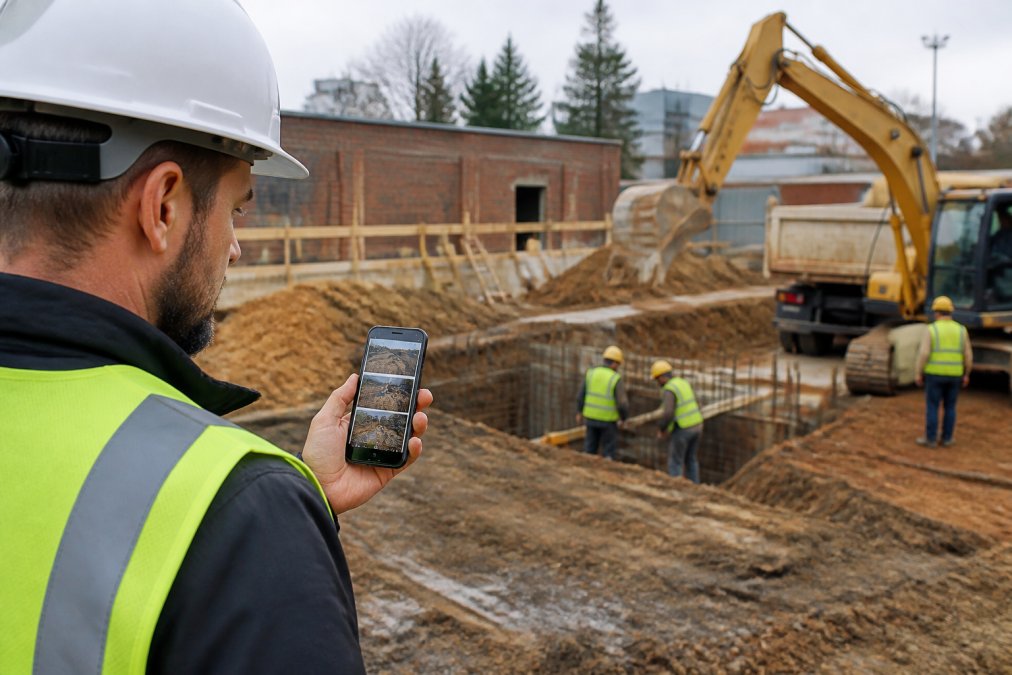
A mobile-first field report tool should work offline. Field sites often have spotty cell service, and inspectors shouldn’t lose data because they entered a dead zone. The tool should sync automatically when connectivity returns.
Workflow automation reduces manual steps between data collection and report generation. Instead of exporting photos, organizing them into folders, and manually creating a report document, an automated system should generate a formatted field report with all your photos, notes, and metadata already organized.
PhotoLog automatically geotagges every photo, time-stamps it, and lets inspectors add typed or voice notes directly. When you’re ready to generate a report, PhotoLog creates a formatted document with all your images and annotations organized by session key or date. No manual assembly required.
You should be able to toggle GPS tagging on or off depending on project requirements. A flexible tool lets you meet different requirements without workarounds.
Workflow automation also means you can generate multiple report formats from the same data, a summary report for the client, a detailed report for your internal files, and a compliance checklist for regulatory purposes, all from one data set.
Legal and Compliance Considerations for Field Documentation
Field reports are legal documents used in disputes, regulatory audits, and insurance claims. Understanding the legal implications of how you document your work protects your business.
In Canada, field reports may be subject to various provincial regulations depending on your industry. Construction projects fall under provincial workplace health and safety legislation, which typically requires documentation of site conditions, hazards, and incidents. Environmental work may require compliance with provincial environmental protection acts.
Your field report must be an accurate, contemporaneous record of what was observed. “Contemporaneous” means created at the time of the inspection, not written days later from memory (justice.gc.ca). Time-stamping proves the report was created when the work was performed.
Geotagged evidence strengthens your documentation. A photo with embedded GPS coordinates and a timestamp creates an automatic chain of custody, proving the photo was taken at a specific location on a specific date.
Maintain version control and document revision history. If a report is updated after initial submission, keep a clear record of what changed and when. Never overwrite the original.
Be cautious about making predictions or judgments that go beyond your expertise. If you’re a construction inspector, document what you observe about structural conditions. Don’t diagnose causes or predict future failures unless that’s within your scope.
Include a statement of scope and limitations in your report. “This inspection covers visible conditions of the roof and does not include inspection of attic spaces” clarifies what you did and didn’t assess.
Understand data privacy and security requirements in your industry. PhotoLog provides privacy controls and local storage options so you maintain control over who sees your data.
Common Mistakes to Avoid in Field Reporting
The most common mistake is incomplete documentation. Omit details you think are obvious, and six months later when someone needs to understand what happened, those details are missing. Document everything that could matter later.
Another frequent error is mixing observation with interpretation without clearly separating them. Keep them distinct so readers understand what you actually saw versus what you concluded.
Many teams fail to use consistent terminology. One inspector calls something a “crack,” another calls it a “fracture.” Inconsistency makes reports harder to search and creates ambiguity about severity.
Poor organization wastes time. Use clear section headings and logical grouping so readers can quickly find relevant information.
Failing to timestamp observations is a major liability. Always include when the work was performed.
Neglecting to include context is another common mistake. Weather conditions, time of day, and lighting all affect what you can observe. Document the conditions under which the inspection was performed.
Not using geotagged evidence when precision matters is risky. Automatic geotagging eliminates manual entry errors.
Finally, many teams fail to maintain proper version control. Establish a clear protocol for versioning and ensure everyone uses the same final document.
Field reports are the backbone of professional documentation across construction, environmental, and infrastructure work. A well-structured field report with precise timestamps, geotagged evidence, and clear findings protects your business, accelerates your workflow, and demonstrates professionalism to clients and regulators.
The shift from paper-based to digital field reporting isn’t just about convenience, it’s about creating defensible documentation that stands up to scrutiny. PhotoLog transforms your Android device into a professional-grade field documentation tool, automatically geotagging and time-stamping every photo while letting you add typed or voice notes directly. When you’re ready to generate a report, PhotoLog creates a formatted field report with all your images and annotations already organized by session key or date. Download Free and see how automated field reporting can simplify your documentation workflow.
| Component | Purpose | Key Details |
|---|---|---|
| Executive Summary | Quick overview for decision-makers | What was inspected, when, key findings |
| Site Identification | Legal documentation of location and timing | GPS coordinates, date, time, inspector name |
| Observations | Detailed description of conditions | Specific, concrete language; qualitative data |
| Quantitative Metrics | Measurable findings | Measurements, counts, percentages |
| Photographic Evidence | Visual documentation | Geotagged, time-stamped images |
| Findings and Analysis | Interpretation of observations | What conditions mean, severity assessment |
| Recommendations | Guidance for next steps | Repair work, further investigation, approvals |
| Version Control | Document integrity | Signature, version number, revision history |
Frequently Asked Questions
Q: What should be included in a professional field report?
A: A professional field report must contain an executive summary, observation details with timestamps and location data, findings and analysis, recommendations, and supporting visual evidence. Include standard operating procedures references, compliance checkpoints, and clear metadata such as inspector name, date, and project identification. Visual documentation with geotagged photos strengthens credibility and provides an audit trail for stakeholder communication and regulatory requirements.
Q: How do digital field report templates improve accuracy?
A: Digital templates enforce consistent data collection through standardized forms and mandatory fields, reducing omissions and inconsistencies. Automated date and time stamping, GPS geotagging, and version control eliminate manual entry errors. Digital systems enable instant searchability by key or date, making it easier to verify information and cross-reference field observations. Structured workflows guide inspectors through required steps, ensuring no critical compliance monitoring elements are missed.
Q: Are there specific standards for field inspection reporting?
A: Yes. Professional field reports must comply with industry-specific regulations and standard operating procedures. Construction inspections follow provincial building codes and project governance requirements. Environmental consultants must meet regulatory requirements for site inspection documentation. Home inspectors follow professional standards for property audits. All field reports should include proper document management practices, maintain an audit trail, and ensure stakeholder communication meets contractual obligations. Check your industry’s compliance framework for specific requirements.
Q: How can I automate field data collection in 2026?
A: Mobile field reporting tools now offer workflow automation through cloud-based storage, automatic metadata capture, and exportable formatted reports. Use apps that automatically timestamp and geotag every observation, allowing you to focus on field observations rather than paperwork. Digital transformation platforms enable voice or typed annotations, instant searchability, and seamless export of qualitative data and quantitative metrics. Integration with document management systems streamlines report generation and stakeholder communication.
Q: What are the benefits of using geotagged photos in field reports?
A: Geotagged photos provide precise location verification, creating an irrefutable audit trail for compliance monitoring and liability protection. They enable faster site inspection workflows by eliminating manual location notation. Geotagged images support automated data visualization in professional reports, making findings clearer to stakeholders. They’re invaluable for environmental surveys requiring precise coordinates and construction documentation where location context is critical for dispute resolution or regulatory submissions.
Q: How do I transition my team from paper-based to digital field reporting?
A: Start with a pilot group on one project to test workflows and identify pain points. Provide hands-on training focused on practical benefits like searchable field notes and faster report generation. Set clear standard operating procedures for when and how to use the digital system. Ensure offline functionality so inspectors can work in areas with spotty cell service without losing data. Gradually roll out across teams, gathering feedback to refine processes.
Q: How does PhotoLog handle data privacy and security for sensitive site documentation?
A: PhotoLog gives you control over sensitive information through switchable GPS functionality, allowing you to disable geotagging when privacy is a concern. Images and data stay organized within your account with customizable access controls. Exportable ZIP files let you share specific reports with clients or stakeholders while keeping other projects private. The built-in field report feature formats documentation professionally without exposing raw image files, protecting your operational details.
This article was written using GrandRanker