Table of Contents
- What is an Offline Field Inspection Mobile App?
- Key Mobile Inspection App Features You Need
- Top Offline Field Inspection Apps: Feature Comparison
- PhotoLog: Professional Android Documentation with Offline Geotagging
- Tansi: Canadian-Built Offline Inspection Platform with Corrective Actions
- GoCanvas: Customizable Forms for Multi-Site Field Operations
- SafetyCulture: Template-Rich Inspections with Real-Time Sync
- Expert Check: Affordable Offline-First Inspections Built for Home Inspectors
- InspectAll: Compliance Management Across Regulated Industries
- Fieldwire: Construction-Focused Offline Plan Access and Task Management
- GoAudits: Compliance-Grade Offline Records with Instant Reports
- Alternatives to Manual Field Data Entry: Why Digital Inspections Matter
- Data Synchronization and Cloud Connectivity in Offline Environments
- Field Data Collection Best Practices for Remote Sites
- How to Choose the Right Offline Inspection Tool for Your Team
- Security, Battery Life, and Post-Inspection Workflow Automation
Last Updated: August 17, 2026
What is an Offline Field Inspection Mobile App?
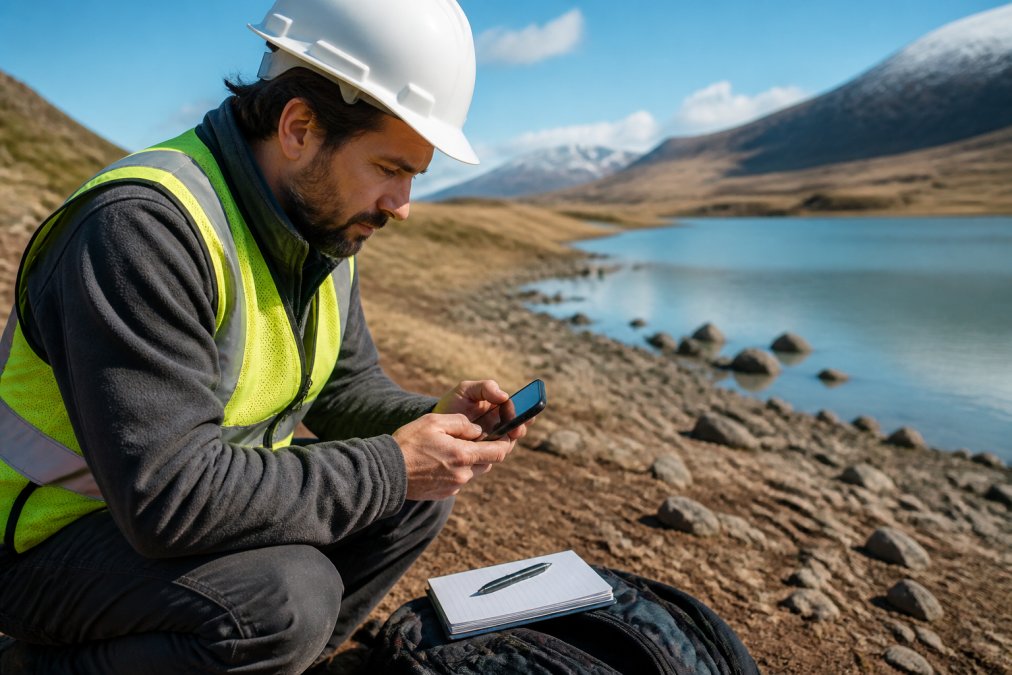
An offline field inspection mobile app captures, documents, and organizes field data, photos, notes, GPS coordinates, signatures, without requiring continuous internet connectivity. The app stores data locally and synchronizes with cloud servers once you reconnect to a network.
This matters because field teams often work in remote locations, construction sites, or areas with spotty cell service where real-time uploads are impossible. Rather than returning to the office to complete paperwork or losing data entirely, teams can document in the field and sync later. PhotoLog, for example, transforms an Android device into a professional documentation tool by automatically geotagging and time-stamping every photo, then organizing them into searchable sessions ready for instant report generation.
Key Mobile Inspection App Features You Need
When evaluating an offline field inspection mobile app, focus on features that directly impact field worker productivity and data integrity.
Offline data capture is non-negotiable. The app should allow you to photograph, annotate, geotag, and timestamp everything without any network dependency. Automatic GPS geotagging and timestamps ensure every photo carries location and time metadata, critical for compliance documentation and site audits. Search and retrieval functionality separates professional tools from basic photo apps. PhotoLog enables instant searchability by event key or date, turning a chaotic folder of photos into an organized archive.
Form customization and conditional logic let you design inspection workflows that match your process. Corrective action workflows link failed inspection items to assigned owners, due dates, and verification steps, preventing inspection data from sitting unused. Real-time or near-real-time synchronization pushes data to the cloud automatically when connectivity returns, ensuring no data loss. Report generation and formatting should produce professional, branded PDF reports with photos, inspection scores, signatures, and corrective actions.
Top Offline Field Inspection Apps: Feature Comparison
| App | Best For | Key Differentiator | Offline Capability | Free Tier |
|---|---|---|---|---|
| PhotoLog | Android field documentation | Automatic geotagging + instant searchability | True offline-first | Yes |
| Tansi | Canadian teams with corrective actions | Built for compliance + asset integration | True offline-first | No |
| GoCanvas | Multi-site customizable forms | Extensive integrations + drag-and-drop builder | Offline with pre-download | Yes |
| SafetyCulture | Safety and operational inspections | Template library + multi-site analytics | Offline with pre-download | Yes |
| Expert Check | Home inspectors | Affordable + AI report writing | True offline-first | No |
| InspectAll | Regulated industries | Compliance tracking + asset management | Offline with sync | Yes |
| Fieldwire | Construction task management | Plan viewing + offline blueprint access | Offline with pre-download | Yes |
| GoAudits | Multi-site audits | Compliance-grade timestamps + instant reports | True offline-first | Yes |
PhotoLog: Professional Android Documentation with Offline Geotagging
PhotoLog transforms your Android device into a field documentation tool by automating photo organization, context addition, and report generation. Every photo receives automatic GPS geotagging, date and time stamping, and searchability by custom event keys. The session-based key system lets you assign a key like "Structural Defects – Unit 3," and all photos tagged with that key become instantly retrievable. Privacy control is built in, you can toggle GPS on and off depending on whether you want location data included.
The one limitation: PhotoLog is Android-only. If your team uses iPhones or a mix of devices, you’ll need a different solution.
Set up custom event keys before your first day in the field. A consistent naming convention (like “Project-BuildingSection-DefectType”) makes photos instantly findable months later.
Tansi: Canadian-Built Offline Inspection Platform with Corrective Actions
Tansi was built specifically for Canadian teams managing inspections at scale, with integrated corrective action workflows and asset history tracking. The architecture is genuinely offline-first. You capture photos, GPS, signatures, and form responses without any network requirement. The form builder supports conditional logic and scoring systems that automatically calculate pass/fail status. When you reconnect, everything syncs to Canadian-hosted servers, addressing data residency requirements for regulated industries.
The standout feature is the corrective action register. Failed inspection items automatically create action items linked to responsible owners, due dates, and verification steps. Asset integration means you can scan QR codes to pull up equipment history and previous inspection results.
GoCanvas: Customizable Forms for Multi-Site Field Operations
GoCanvas digitizes any field operation by replacing paper forms with mobile apps you design yourself. The form builder is powerful and flexible, supporting conditional logic, photo and barcode capture, e-signatures, GPS, and video. Offline access requires you to pre-download the forms you’ll use that day, but once downloaded, you work completely offline and sync when connectivity returns.
The integration ecosystem is where GoCanvas differentiates. It connects to thousands of existing systems, CRMs, ERPs, databases, cloud storage, so inspection data flows directly into your other business systems without manual data entry.
Pre-downloading forms means you need to anticipate which inspections you’ll conduct each day. If your team does ad-hoc inspections in response to unexpected site conditions, you’ll need to download new forms in the field, which requires at least brief connectivity.
SafetyCulture: Template-Rich Inspections with Real-Time Sync
SafetyCulture dominates the safety and operational inspection space because it ships with an enormous library of pre-built templates covering everything from construction safety checklists to food safety audits. Offline functionality requires you to pre-download the inspections you plan to conduct, then work offline. When you reconnect, data syncs automatically. Real-time reporting and analytics are strong, allowing multi-site teams to see inspection results across all locations and track trends.
Expert Check: Affordable Offline-First Inspections Built for Home Inspectors
Expert Check is purpose-built for Canadian home inspectors who work in remote areas with unreliable signal and need to generate professional reports quickly. The value proposition is explicit: offline-first architecture with AI-powered report writing. You capture photos, notes, and location data without any network requirement. The app then uses AI to transform your field notes into narrative report text, pulling from a library of over 1,300 pre-written narratives.
The AI narrative feature works best when your field notes are detailed and specific. Instead of “roof damaged,” note “asphalt shingles missing in 4×6 section above northeast corner, exposing plywood underlayment.”
InspectAll: Compliance Management Across Regulated Industries
InspectAll is built for regulated industries, food manufacturing, healthcare, pharmaceuticals, where inspections must produce audit-trail documentation and compliance proof. The platform combines mobile inspection capture with asset management and barcode scanning. Offline mode is supported with automatic sync when connectivity returns.
Fieldwire: Construction-Focused Offline Plan Access and Task Management
Fieldwire is built specifically for construction teams and combines plan viewing with task management and photo documentation. The standout feature is offline access to blueprints and floor plans. Construction teams can download version-controlled plans before heading to the site, then mark up tasks, take photos, and annotate directly on the plans, all offline. When connectivity returns, all updates sync back to the central project.
GoAudits: Compliance-Grade Offline Records with Instant Reports
GoAudits is designed for teams running repeat inspections across multiple sites and needing compliance-grade audit trails. The architecture is genuinely offline-first. You capture inspections, photos, GPS, and e-signatures without any network requirement. The key feature is capture-time timestamps, every piece of data is recorded with the exact moment it was captured, creating an an audit trail that stands up to regulatory scrutiny.
Alternatives to Manual Field Data Entry: Why Digital Inspections Matter
With paper forms, your field team captures data on site, returns to the office, transcribes handwritten notes into a computer, scans forms for archival, and manually assembles photos into a report. This process takes hours per inspection and creates multiple opportunities for data loss or transcription errors.
Digital field inspection apps eliminate the transcription step entirely. Data flows directly from the field device to the cloud. Photos are automatically organized by date, location, or custom keys. Forms are submitted digitally, so no handwriting to decipher. Compliance documentation is stronger with digital records, timestamps and GPS coordinates are automatically captured and tamper-proof, unlike handwritten dates.
Data Synchronization and Cloud Connectivity in Offline Environments
A true offline-first architecture stores data locally on the device and queues synchronization requests. When connectivity returns, the app automatically uploads all captured data to the cloud. Synchronization happens in the background; you don’t need to manually trigger uploads.
Some platforms require you to manually initiate sync, which creates a failure point: if a team member forgets to sync before powering down the device, data can be lost. Better platforms sync automatically whenever connectivity is detected. Data integrity during sync matters. If a sync fails halfway through, the app should resume from where it left off, not start over or lose partial data.
Spotty connectivity doesn’t mean no connectivity. Even in remote areas, most field teams have brief moments of signal. Apps that sync automatically during these moments ensure data is backed up even if the primary work location has no signal.
Field Data Collection Best Practices for Remote Sites
Working in areas with no reliable connectivity requires discipline around data organization and backup.
Establish naming conventions before you start. Decide how you’ll tag or key your inspections so data is searchable later. For example: "ProjectName-BuildingSection-InspectionType-Date." Capture detailed context in notes. Don’t rely on the photo alone. Add voice or typed notes explaining what you’re documenting, why it matters, and what action is needed. Verify GPS accuracy before relying on it for official reports. GPS can be inaccurate in areas with poor satellite visibility, dense forests, or canyons.
Backup data locally before leaving the site. If your app supports exporting data to local storage, do it before leaving the area. Test your offline workflow before deploying to the whole team. Run a pilot with one or two inspectors using the app in your actual field conditions. Manage battery life on long field days. GPS, camera, and screen-on time drain batteries quickly. Carry a portable charger and consider dimming the screen or disabling GPS when you don’t need real-time location data.
How to Choose the Right Offline Inspection Tool for Your Team
The right tool depends on three factors: your inspection process, your team’s device preferences, and your budget.
Map your current workflow. Document exactly what your team does in the field today. What data do they capture? What forms do they complete? What does the final report look like? Identify your non-negotiables. Does your team need true offline-first capture, or is pre-downloading forms acceptable? Do you need corrective action tracking? Do you require multi-site analytics? Test with your actual field conditions. Download a free trial and use the app for a real inspection in your actual work environment.
Calculate the time savings. Estimate how many hours your team currently spends on post-inspection work: transcription, report assembly, photo organization. Consider device requirements. Some apps are Android-only (PhotoLog), some work on both iOS and Android, some are web-based. Evaluate reporting quality. Request sample reports from each vendor. Do they look professional? Can they be customized with your branding?

Security, Battery Life, and Post-Inspection Workflow Automation
The operational details that don’t get marketing attention often matter most in real-world use.
Data security and privacy vary significantly between platforms. Some apps encrypt data in transit and at rest; others don’t. For sensitive client work or regulated industries, verify the platform’s security certifications and data handling policies. GPS privacy control is worth mentioning separately. Better platforms let you toggle GPS on and off per inspection, giving you control over what gets documented.
Battery optimization is critical for full-day field work. Apps that batch GPS readings, support low-power modes, or let you disable GPS when not needed will extend your working day. Post-inspection workflow automation separates professional platforms from basic photo apps. Better systems automatically generate reports, trigger corrective action workflows, send notifications to assigned owners, and update asset maintenance records, all without manual intervention.
Choosing an offline field inspection mobile app means balancing offline capability, reporting quality, ease of use, and cost. PhotoLog stands out for Android users who need automatic geotagging and instant searchability. Tansi is a strong choice for Canadian teams in regulated industries requiring integrated corrective action workflows. For teams with diverse devices or extensive customization needs, GoCanvas or SafetyCulture offer broader flexibility. Expert Check is an affordable option for home inspectors. The key is testing with your actual field conditions and workflow before committing your whole team to a new platform.
Frequently Asked Questions
What features should I look for in an offline field inspection mobile app?
Prioritize automatic GPS geotagging, offline data capture without requiring internet connectivity, instant searchability by date or project key, and the ability to attach photos and voice notes. Look for apps that sync automatically when you reconnect and generate formatted reports. Battery optimization is critical for all-day field work. Verify that the app stores data locally on your device and supports export options like ZIP files or PDFs for easy sharing.
How do offline inspection apps handle data synchronization?
Most offline field inspection apps capture data locally on your device while you work without internet. When connectivity returns, they automatically sync your photos, notes, timestamps, and GPS coordinates to cloud storage. Some apps, like Tansi and Expert Check, use offline-first architecture, meaning they prioritize local storage and sync as a secondary process. Others require you to manually trigger sync or pre-download templates. For critical compliance work, choose apps that timestamp data at capture time, not sync time, to ensure audit trail accuracy.
Can offline field inspection apps help with regulatory compliance documentation?
Yes. Apps like Tansi and GoAudits create compliance-grade audit trails with capture-time timestamps, ensuring your records meet regulatory standards. They generate formatted reports with photos, signatures, and corrective action workflows. Expert Check is built specifically for inspectors in regulated environments and includes over 1,300 pre-written compliance narratives. However, verify that the app you choose meets the specific standards required by your industry, whether that's construction safety, environmental surveys, or home inspection protocols.
What is the best offline field inspection mobile app for Android?
The best choice depends on your use case. PhotoLog excels for general-purpose field documentation with automatic geotagging and searchable notes. Tansi is ideal if you need corrective action workflows and Canadian data hosting. Expert Check offers the most affordable option with AI-powered report writing for home inspectors. GoCanvas provides extensive customization for multi-site operations. SafetyCulture works well for teams needing ready-made templates. Evaluate based on offline reliability, reporting requirements, team size, and whether you need industry-specific features.
How does geotagging improve field inspection accuracy?
Automatic GPS geotagging records the exact latitude, longitude, and timestamp of each photo captured in the field. This creates an irrefutable record of where and when documentation occurred, which is essential for compliance, environmental surveys, and infrastructure management. Geotagged images are searchable by location, making it easy to find all photos from a specific site or area. For projects requiring precise location verification, geotagging eliminates manual data entry errors and provides evidence that inspections were actually conducted on site.
This article was written using GrandRanker