Table of Contents
- Why Switch to Digital Inspection Checklists
- Prerequisites: Assessing Your Current Systems and Infrastructure
- Step 1: Select Digital Field Reporting Software for Manufacturing
- Step 2: Plan Your Data Architecture and Integration Strategy
- Step 3: Configure Workflows and Standardize Production Records
- Step 4: Train Your Team and Manage the Change
- Benefits of Digital Manufacturing Documentation
- Common Mistakes to Avoid During Implementation
- Frequently Asked Questions
Last Updated: September 24, 2026
Why Switch to Digital Inspection Checklists
Paper-based reporting slows down your team. Inspectors spend hours transferring handwritten notes into spreadsheets. Photos get lost. Data sits in filing cabinets. By the time you need that information, it’s buried or incomplete.
Digital field reporting changes this. Inspectors capture photos, add notes, and tag locations in real time. Everything is searchable and organized instantly. Your team accesses the data they need without delays.
The shift from manual logbooks to digital documentation isn’t just about convenience. It’s about having accurate production records when you need them. Real-time data visibility means you catch problems faster. Audit trails become automatic. Compliance reporting takes hours instead of days.
The biggest advantage isn’t speed, it’s accuracy. When data is captured in the field on the device itself, there’s no transcription step. No retyping. No misread handwriting. Your numbers are right the first time.
Prerequisites: Assessing Your Current Systems and Infrastructure
Before you implement paperless reporting in manufacturing, understand what you’re working with. Most manufacturers discover gaps only after they start the transition.
Evaluate your existing paper-based processes
Start by mapping how your team currently works. Who fills out inspection checklists? Where do those forms go? How long before that data reaches the people who need it?
Document the actual workflow:
- How many inspectors file reports daily
- Where paper records are stored
- How long it takes to retrieve a specific report
- What data gets transcribed manually into systems
- Where errors most often occur
This audit shows you what paperless reporting must replace. You’ll identify which processes are critical and which can be simplified. Many teams discover they’re doing redundant steps that digital workflows eliminate.
Identify hardware and connectivity requirements
Your team needs devices that work in your environment. Manufacturing floors aren’t always office-friendly. Equipment needs to handle dust, moisture, and temperature swings.
Consider these hardware factors:
- Android tablets or smartphones your inspectors already carry
- Network coverage on your shop floor and remote sites
- Whether offline capability matters for your locations
- Battery life during a full shift
- Screen visibility in bright or dim conditions
- Ruggedness needed for your specific environment
Connectivity is critical. If your facility has spotty cell service, you need software that works offline and syncs when the connection returns. Paper never needs a signal, digital systems must handle gaps gracefully.
Review regulatory compliance obligations
Manufacturing compliance varies by industry. Food production, pharmaceuticals, and automotive all have different requirements. Environmental consultants and infrastructure managers face their own audit obligations.
Check what your regulations demand:
- How long records must be retained
- What data must be time-stamped and geotagged
- Who can access sensitive documentation
- How to prove an inspection happened and when
- What format reports must take for auditors
Standards Council of Canada guidance on manufacturing documentation outlines baseline requirements. Your specific industry may have stricter rules. Digital systems must support these compliance needs or they create liability instead of solving problems.
Step 1: Select Digital Field Reporting Software for Manufacturing
Your software choice determines whether the transition works or becomes frustrating. The right tool integrates with what you already use. It doesn’t force your team to learn a completely different way of working.
Evaluate software on these core capabilities:
- Automatic geotagging and time-stamping of every photo
- Offline functionality that syncs when connection returns
- Built-in field report generation with professional formatting
- Searchability by date, location, or custom tags
- Export options that work with your existing systems
- Data privacy controls and secure storage
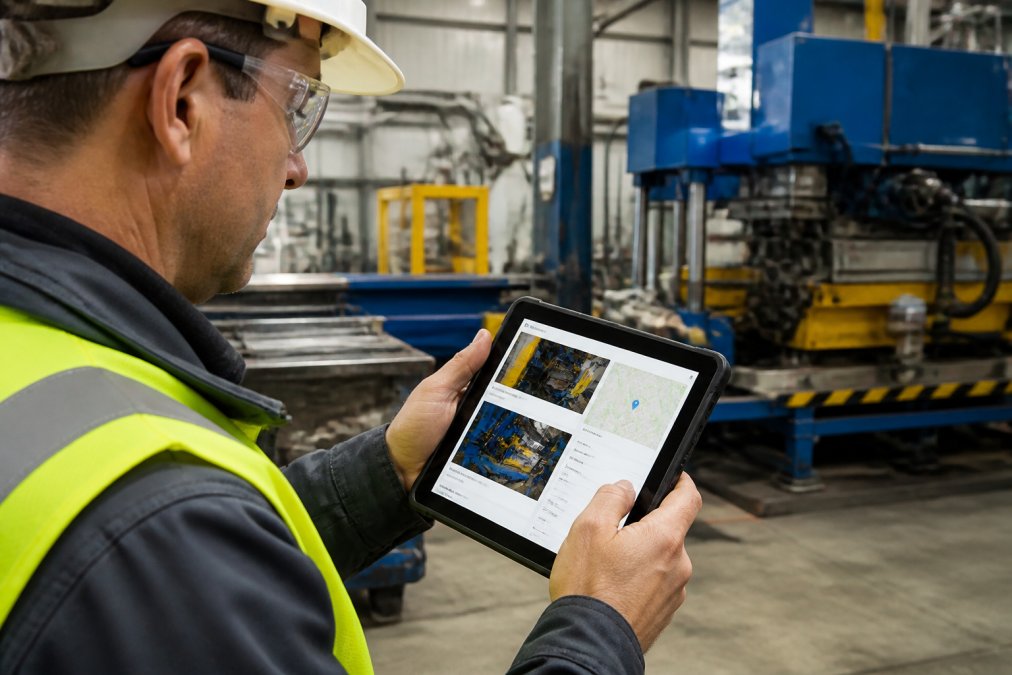
PhotoLog is built for this exact workflow. It transforms an Android device into a documentation tool that captures location, date, and time automatically. Inspectors add typed or dictated notes. Every photo becomes instantly searchable. The built-in Field Report generates formatted documentation ready to share or archive.
The key difference: PhotoLog doesn’t require constant internet. Inspectors work offline. Data syncs when they reconnect. For manufacturing environments with unreliable connectivity, this matters enormously.
Avoid software that requires cloud upload before data is saved. If your facility loses connection, inspectors either can’t work or lose their data. Offline-first design prevents both problems.
Step 2: Plan Your Data Architecture and Integration Strategy
Digital reporting only works if data flows where it needs to go. A disconnected system creates new problems instead of solving old ones.
Map legacy system integration requirements
You likely already have systems running your operation. ERP software tracks inventory. MES systems monitor production. Quality databases store inspection history.
Your new digital reporting system must connect to these, not replace them. Map the data flow:
- Which systems need to receive field reports
- What data format each system expects
- Whether real-time sync is required or batch uploads work
- Which team members need access to which reports
- How historical data should be migrated Establishing these integration points creates a foundation for capturing operational insights more effectively, especially as digital scribing benefits emerge from the transition toward automated data entry.
Establish data security and cybersecurity protocols
Field documentation often contains sensitive information. Site conditions. Equipment issues. Security vulnerabilities. You need controls over who sees what.
Implement these security measures:
- Role-based access so inspectors see only their own reports
- Audit trails showing who viewed or modified each report
- Encryption for data in transit and at rest
- Backup systems for disaster recovery
- Privacy controls that let you disable geotagging when needed
Step 3: Configure Workflows and Standardize Production Records
Paperless reporting only reduces chaos if you standardize how data gets captured. Without consistent workflows, you just digitize confusion.
Start with your most critical inspection checklist. Define exactly what inspectors must document:
- Which photos are mandatory
- What fields must be filled before submission
- How to flag issues that need immediate attention
- Whether certain data requires supervisor approval
Step 4: Train Your Team and Manage the Change
Technology fails when people don’t use it correctly. Training isn’t optional, it’s the difference between success and abandoned software.
Effective training includes:
- Hands-on practice with actual devices and the software
- Demonstration of how to handle common problems (offline sync, photo quality, note-taking)
- Clear documentation they can reference in the field
- A support person they can contact when stuck
- Recognition of early adopters who help others learn
Address the real concerns:
- “Will this slow me down?” (Show how it actually saves time once they’re comfortable)
- “What if something goes wrong?” (Explain the backup and recovery process)
- “Why are we doing this?” (Connect to business outcomes: faster reporting, better data, compliance proof)
The first month determines success. If your team struggles through month one but sees real benefits by month two, they’ll stick with it. If month one is frustrating and benefits aren’t obvious, they’ll revert to old habits.
Benefits of Digital Manufacturing Documentation
The shift to paperless reporting delivers concrete improvements to how your operation runs.
Real-time data visibility and KPI tracking
Paper reports arrive days after an inspection. By then, problems have compounded. Digital documentation gives you data while issues are still fresh.
Your team sees real-time KPIs:
- Downtime incidents and their frequency
- Quality issues by location or equipment
- Inspection completion rates across shifts
- Bottleneck analysis showing where work slows
- Predictive maintenance alerts based on documented patterns
Improved audit trail and regulatory compliance
Regulators want proof. They want to know when an inspection happened, who did it, and what they found. Paper trails are incomplete. Digital systems create automatic audit trails.
Every photo carries:
- GPS coordinates showing location
- Timestamp showing when the photo was taken
- Inspector identification
- Notes added in the field
- Modification history if anyone changes the record later
Cost savings and ROI analysis
Paperless reporting reduces costs in ways that aren’t always obvious at first. Your team spends less time on administrative work. Errors decrease, so rework decreases. Equipment failures get caught earlier, preventing expensive downtime.
Typical savings include:
- Reduced time on data entry and report formatting
- Fewer quality issues because problems are caught faster
- Less equipment downtime through predictive maintenance
- Faster client reporting, improving satisfaction
- Reduced paper, printing, and filing costs
Common Mistakes to Avoid During Implementation
Teams that struggle with paperless reporting usually make the same mistakes. Learning from them saves you months of frustration.
Frequently Asked Questions
What are the primary benefits of paperless reporting in manufacturing?
Paperless reporting eliminates manual logbooks, reduces downtime tracking errors, and provides real-time data visibility across your shop floor. You gain instant access to production records, improve audit trail compliance, and reduce the time spent organizing and searching for documentation. Most teams see faster decision-making through better KPI visibility and measurable cost savings from reduced paper handling and storage.
How do you ensure data integrity when moving to digital reporting?
Implement automated geotagging and time-stamping to create an immutable audit trail for every record. Use role-based access controls to limit who can edit or view sensitive data. Establish data validation rules in your workflow automation to catch errors before they enter your system. Regular backups and cybersecurity protocols protect against data loss. Choose software that maintains compliance with relevant standards and provides detailed change logs for traceability.
Will paperless reporting work if our team has spotty cell service on remote sites?
Yes. Look for field reporting software with offline-first capability that syncs automatically when connectivity returns. This ensures your team can continue capturing geotagged images, notes, and production records without interruption. Verify the app stores data locally on the device and test synchronization before deploying to remote locations. This approach eliminates data loss risk while maintaining real-time visibility once your team returns to connected areas.
What’s the typical implementation timeline for paperless manufacturing systems?
The implementation timeline depends on system complexity and team size. It includes assessment of current processes, software selection and configuration, legacy system integration, employee training, and change management. Starting with a pilot group on one production line or site reduces risk and provides insights before full rollout. Expect initial productivity dips during the learning phase.