Table of Contents
- Why Inspectors Switch From Inspector App
- Quick Comparison: Inspector App Alternatives
- Best Home Inspection Report Software for Your Workflow
- Inspection Report Templates for Mobile Devices
- How to Choose Inspection Software for Your Team
- Key Features That Matter: Offline Access, Geotagging, and Data Security
- Conclusion
Last Updated: August 15, 2026
Why Inspectors Switch From Inspector App
Field inspectors abandon tools for one simple reason: they don’t work the way the job actually works. Generic inspection software built for property managers doesn’t serve specialized inspectors well. Home inspectors need different workflows than environmental consultants. Construction supervisors need different data capture than infrastructure auditors.
What drives the switch is usually one of three things: offline functionality that fails when you need it most, reporting that takes longer to build than the inspection itself, or lack of precise geotagging when location data is critical for compliance.
The inspector app alternatives landscape has matured significantly. You now have purpose-built solutions for different inspection types, pricing models that match actual usage patterns, and mobile-first platforms that recognize inspectors work in the field, not at a desk.

Quick Comparison: Inspector App Alternatives
An inspector app alternative should handle three core demands: capture visual evidence with precision, organize that evidence instantly, and generate professional reports without manual rework.
| Platform | Best For | Key Strength | Starting Price |
|---|---|---|---|
| PhotoLog | Android-first inspectors needing geotagging and searchability | Automatic GPS tagging, voice/typed notes, instant searchability by key or date | Free tier available |
| Expert Check | Canadian inspectors working offline | True offline-first architecture, AI writing assistance, lowest cost | $29 CAD/month |
| HomeGauge | Inspectors wanting all-in-one business tools | Desktop and web reporting, scheduling, payment processing, extensive customization | $89 CAD/month (30-day free trial) |
| ISN | High-volume inspectors with flexible budgets | Usage-based pricing, business management suite, 30-day free trial | From $875.00 USD/year |
| Tap Inspect | iOS teams prioritizing speed and simplicity | Fast report generation, excellent support, mobile-centric workflow | $90 CAD/month (Unlimited Plan) |
| SpecuLink | Canadian inspectors valuing local expertise | Canadian-built, built for Canadian building conventions, competitive pricing | $79 CAD/month |
The choice comes down to your platform preference, offline requirements, and how much business management you need alongside reporting.
Best Home Inspection Report Software for Your Workflow
The best home inspection report software transforms raw field observations into client-ready documentation without eating hours of your time.
PhotoLog: Android-First Field Documentation
PhotoLog transforms an Android device into a professional field documentation tool. Every photo is automatically tagged with GPS coordinates, timestamp, and any voice or typed notes you add, then indexed so you can pull up "all photos from the north wall" or "all defects from Tuesday afternoon" in seconds.
When compiling a report on 200+ photos from a complex site, the ability to filter by event key or date eliminates manual sorting that typically consumes hours. PhotoLog’s session-based organization keeps photos grouped by inspection, and the built-in Field Report generator assembles documentation without requiring manual image arrangement.
Offline functionality is genuine: the app works without signal, capturing and organizing photos locally, then syncing when connectivity returns. GPS tagging is switchable, so you can document without broadcasting location data if a client prefers anonymity.
PhotoLog’s free tier provides full functionality for basic documentation needs, with optional paid features for teams managing multiple inspectors or requiring advanced report customization.
If you’re capturing 200+ photos per site visit, instant searchability by date or event key saves 3-5 hours per report.
Expert Check: Affordable Offline-First Platform
Expert Check is a professional inspection platform starting at $29 CAD per month. Built in Canada specifically for inspectors working without reliable signal, it features true offline-first architecture where the app doesn’t degrade when connectivity drops. You capture photos, notes, and location data entirely offline, and when signal returns, synchronization happens automatically. The integrated calendar system includes Google Maps route optimization. AI writing assistance generates report narratives from your field notes, reducing manual writing after inspection. Client report links include identity verification, so you control who accesses each report and can track when clients view documentation. The learning curve is steeper than some competitors, but once adopted, the combination of offline reliability, AI assistance, and low cost is compelling for Canadian inspectors.
HomeGauge: All-in-One Business Management
HomeGauge, starting at $89 CAD per month, integrates reporting with scheduling, invoicing, and payment processing. The desktop and web-based report writer offers extensive customization, and payment processing handles invoicing directly through the platform. The iPhone companion app has limitations, users report it can be bulky and occasionally gets stuck in landscape mode. Some users report recurring software glitches, particularly when handling large reports or high photo counts. HomeGauge works best for established inspection businesses with consistent workflows and time to optimize the platform.
Marketing directly to clients without explicit permission has been a concern for some users. Review HomeGauge’s default settings carefully before launch.
ISN: Usage-Based Pricing for High-Volume Inspectors
ISN operates on a usage-based model with an annual fee plus a one-time account set-up fee, starting from $875.00 USD/year. For inspectors conducting 20+ inspections per month, this becomes cost-competitive with flat-rate platforms. The platform functions as both report writer and business management suite with customizable reports, scheduling, invoicing, and marketing automation. Some users report issues with SMS and mass email functionality, and setup is complex. ISN works best for high-volume inspection operations.
Tap Inspect: iOS-Optimized Simplicity
Tap Inspect is built for iOS teams who want speed above all else. The platform automates report generation from photos and field notes, cutting time between completing an inspection and delivering client documentation to hours instead of days. At $90 CAD per month for the Unlimited Plan, pricing is straightforward. New inspectors are productive within a day or two. Excellent customer support is consistent across user reviews. The trade-off is platform focus: Tap Inspect is iOS-first, with web access only on higher tiers. The platform doesn’t include AI photo analysis.
SpecuLink: Canadian-Built Solution
SpecuLink is purpose-built for Canadian inspectors, designed with understanding of Canadian building conventions and terminology. Being Canadian-built means the platform reflects how Canadian inspectors actually work. The setup process is more complex than some competitors. The narrative library is more limited than platforms like HomeGauge, meaning you’ll need to build custom content for specialized inspection types. AI writing assistance is not currently included, so report generation relies on manual narrative work.
SpecuLink works best for Canadian inspectors who want a locally-built solution and have time to customize reporting templates.
Inspection Report Templates for Mobile Devices
Inspection report templates designed for mobile devices need to balance completeness with speed. The best templates use conditional logic, meaning sections appear or hide based on your responses. If you answer "no defects on exterior," the template doesn’t show 20 fields for exterior issues.
Photo annotation directly in the template is critical. Rather than taking a photo and then adding notes separately, you should be able to mark up the image on your phone, circling a defect, adding an arrow, typing a note, all within the inspection workflow.
Templates should support voice-to-text notes, since typing detailed observations on a phone is slow and error-prone. Dictating observations while photographing the actual defect keeps you in the moment and produces more accurate documentation.
Consider whether you need templates that work offline. If you’re in areas with spotty connectivity, downloading template data locally before you leave the office ensures you’re not fighting signal issues while documenting findings.
How to Choose Inspection Software for Your Team
Choosing the right inspection software requires matching platform capabilities to your actual workflow. Start by documenting what you do now: How many inspections per week? How many photos per inspection? Do you work in areas with reliable signal? Are reports required within 24 hours?
Your platform preference matters more than most guides acknowledge. If your team uses Android devices, iOS-only platforms eliminate options regardless of features. This is a hard constraint.
Offline functionality should match your reality. If you work in remote territories or large sites with poor reception, offline-first architecture is essential. Test this specifically: disable your phone’s data and Wi-Fi, then use the app for 30 minutes.
Geotagging accuracy matters for compliance-heavy inspections where location data is legally required. For general home inspections, geotagging is useful for organization but less critical.
Report generation speed is where inspector app alternatives most obviously outperform generic tools. Calculate your actual time investment: How long from completing an inspection to delivering a client-ready report? A platform that cuts this in half justifies switching.
Pricing models vary significantly. Flat monthly fees ($29-$90 CAD) work well for consistent inspection volume. Usage-based pricing ($3.75 per inspection) suits variable workload. Don’t pay for features you won’t use.
Team management capabilities matter if you’re scaling beyond solo operation. Can you manage multiple inspectors from a single account? Can you control what each inspector can access?
The right inspector app alternative is the one that handles your actual workflow faster than your current process. Test with real inspections before fully migrating.
Key Features That Matter: Offline Access, Geotagging, and Data Security
Three features separate inspector app alternatives that genuinely improve your workflow: offline access that actually works, geotagging precision, and data security that protects client information.
Offline access means the app functions without internet signal, capturing and organizing data locally, then syncing when connectivity returns. True offline-first architecture lets you work normally without signal. Test offline functionality before committing by creating a test inspection in airplane mode.
Geotagging precision varies by platform and device. Automatic GPS tagging should capture coordinates accurate to within 5 meters for most inspection purposes. For environmental surveys or infrastructure audits where compliance documentation requires precise location data, accuracy matters legally. Some platforms allow you to verify geotagging is working correctly and manually adjust if needed.
The privacy control of geotagging is worth considering. If you’re documenting residential properties, clients may not want location data embedded in reports. Platforms that let you toggle GPS tagging on or off give you control.
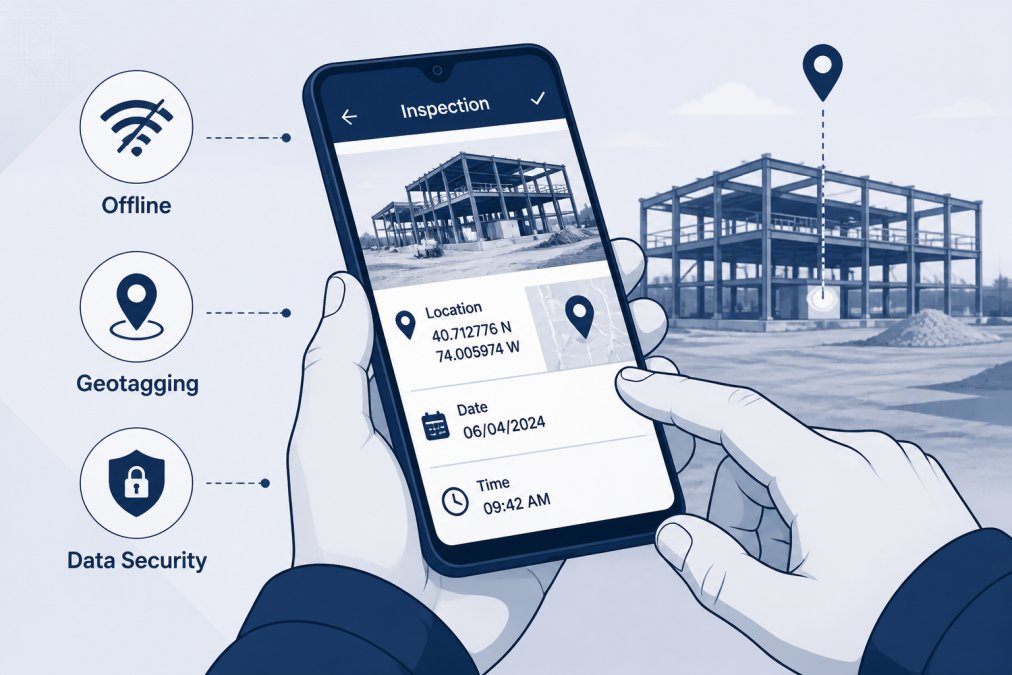
Data security protecting client information is non-negotiable. Your inspection reports contain sensitive information: property conditions, defects, location data, sometimes financial implications. Verify that the platform encrypts data in transit and at rest, controls access with authentication, and maintains audit trails.
Ask specifically: Where is data stored? How is data encrypted? Can you control who sees reports? Is there an audit trail? Does the platform comply with privacy regulations relevant to your jurisdiction?
Many platforms include data export functionality, meaning you can retrieve your information if you leave the platform. This matters for business continuity.
Choosing an inspector app alternative is ultimately about matching your actual workflow to the platform that handles it fastest. PhotoLog’s combination of automatic geotagging, instant searchability, and offline functionality makes it the strongest choice for Android inspectors needing field documentation that stays organized without manual assembly. For teams prioritizing cost or Canadian-built solutions, Expert Check and SpecuLink offer compelling alternatives. Test with real inspections before fully migrating, the right platform eliminates hours of administrative work each week.
Frequently Asked Questions
What makes Inspector App alternatives better for field inspectors with spotty cell service?
The best Inspector App alternatives prioritize offline data entry and synchronization. Platforms like Expert Check and PhotoLog allow you to capture photos, notes, and geotagged data without signal, then sync automatically when connectivity returns. This prevents data loss in remote areas and ensures your inspection workflow continues uninterrupted, which is critical for construction sites, environmental surveys, and rural property inspections.
How do inspection report templates for mobile devices save time compared to desktop-only solutions?
Mobile-first inspection report templates let you complete documentation on site rather than returning to the office. Apps like Tap Inspect and Expert Check generate formatted reports directly from your field data, eliminating manual transcription. You capture photos with automatic geotagging and timestamps, add typed or voice notes, and the software builds professional reports instantly. This reduces report turnaround from hours to minutes.
How do I know which inspection software will actually reduce my team's workload by 15-20 hours per week?
Look for platforms that automate the time-consuming parts: photo organization, report generation, and client delivery. Measure your current workflow, how many hours per week on photo sorting, note-taking, and report writing? Choose software with instant searchability by date or key, automated report formatting, and batch export capabilities. Expert Check and PhotoLog both offer offline-first design and rapid report generation, which typically saves teams the most time on high-volume inspection schedules.
What security and compliance features should I prioritize in inspection software for sensitive site documentation?
Ensure the platform offers data encryption, user access controls, and audit trails showing who accessed or modified reports. For compliance-critical work like environmental surveys, verify that geotagging accuracy meets your regulatory standards and that you can export data in formats required by regulatory bodies. PhotoLog provides switchable GPS privacy controls, while platforms like Expert Check and ISN include secure data backup and client identity verification for report delivery.
This article was written using GrandRanker