By Eldon Beix · BESTAPP Digital · photolog.ca
I’ve been hunting barn finds for years. If you’re in the hobby you know the feeling — you’re driving down a back road, you spot something interesting sitting behind a fence or half-buried in a field, you make a mental note, and then three weeks later you can’t for the life of you remember which county road it was on or what the property looked like. I lost more potential finds that way than I care to admit.
The logical solution was an app that would let me photograph the vehicle on the spot, tag the GPS coordinates automatically, and add notes while the details were still fresh. Simple enough. Except when I went looking for something that did exactly that — nothing quite fit. The photography apps didn’t have the field documentation workflow I needed. The field documentation apps didn’t have the right capture flow for on-the-move hunting. So I decided to build one myself.
There was just one problem. I have zero coding experience. I mean that literally — I have never written a line of code in my life.
The Tool That Made It Possible
A friend pointed me toward MIT App Inventor — a free, browser-based tool developed at MIT that lets you build Android apps by snapping together visual “blocks” rather than writing code. Think of it like LEGO for app logic. Each block represents an action: “when this button is tapped, do this.” You connect them like puzzle pieces.
I spent a weekend getting my head around the basics and realised pretty quickly that App Inventor could handle what I needed: camera capture, GPS tagging, local storage, search. The blocks were there. I just needed to figure out how to connect them. That’s where the second tool came in — AI.
AI as a Co-Developer
I started using Claude as my development partner. Not to write code for me — App Inventor doesn’t use traditional code — but to help me think through the logic, debug problems, and understand why things weren’t working.
The workflow I eventually developed was this: at the start of every session I’d paste in a written brief about the app — what it was, how it stored data, what I’d built so far, and what I wanted to accomplish that day. This “Session Starter Template” gave the AI enough context to give me genuinely useful answers rather than generic suggestions.
The difference between a vague question and a specific one turned out to be enormous.
Vague: “The counter isn’t working.”
Specific: “The image counter on PhotoCaptureScreen is showing the designer default value of 0000 on launch instead of the cached count from TinyDB. The TinyDB namespace is set to ‘photologphotos’ and the tag is ‘imageCount’. This only happens on first launch — subsequent launches show the correct number.”
The second version got me a solution in one exchange. The first version sent me around in circles for an hour.
What I Actually Built
PhotoLog ended up being considerably more complex than I originally planned. That’s the nature of software — scope creep is real, and once something works you immediately see five ways to make it better.
The finished app includes:
GPS capture — every photo is automatically tagged with precise coordinates. Tap “View on Google Maps” to see exactly where any image was taken.
Typed and dictated notes — add details at capture time or come back later. Typed notes and voice dictation combine seamlessly in a single notes field.
Session keys — assign a key to a session (a location name, event, or project code) and every photo captured that session shares it automatically. Makes finding a whole set of images as simple as one search.
Image Storage on your Phone – For Instant recall and ultimate security
PayPal subscription billing — a proper freemium model with free tier and paid upgrades, integrated directly into the app.
HTML field report export — export any selection of images as a formatted ZIP file containing the photos, a CSV data file, and a styled HTML field report. Useful for sharing finds with other hunters or keeping records for insurance purposes.
None of that existed when I started. All of it was built one block at a time, with an AI assistant helping me work through the logic at each step.
The Hardest Parts
I won’t pretend it was easy. There were problems that stopped me cold for days.
Race conditions nearly broke me early on. App Inventor runs sequentially, but Firebase — the cloud database — is asynchronous. App Inventor fires a request and keeps going while waiting for a response. My blocks were trying to use data from Firebase before Firebase had actually responded, producing blank or wrong values that only appeared sometimes, or only on first launch. Once I understood that all my Firebase logic needed to live inside the GotValue event block rather than after the call, a whole category of intermittent bugs disappeared.
Token refresh was another wall. Firebase authentication tokens expire after an hour. When a user had the app open for a long session and the token expired, web calls were silently failing with a 401 error. I had to build a detection and retry loop — catch the 401, request a fresh token from Firebase’s secure token endpoint, then retry the original call. Getting the logic sequence right took a week of careful testing.
The PayPal integration required moving away from a WebViewer approach (which wouldn’t fire the callback I needed after payment) to using ActivityStarter to launch Chrome externally, with a webhook handling the subscription confirmation back to Firebase. Not obvious, not documented anywhere for App Inventor specifically, and genuinely satisfying when it finally worked.
What the AI Got Wrong
In the spirit of honesty — the AI made mistakes. Sometimes it suggested block names that didn’t exist in App Inventor’s current version. Sometimes it gave me logically correct advice that was architecturally wrong for my specific setup. Sometimes long conversations caused it to lose context and start contradicting earlier advice.
The fix for all of these was the same: start a fresh chat, paste the Session Starter Template, and describe the problem precisely from scratch. A well-described problem is 80% solved. The AI is a tool, not an oracle — and like any tool it works best when you use it correctly.
What PhotoLog Is Now
PhotoLog is currently in beta, distributed as a direct APK download from photolog.ca while Google Play Store verification completes. It runs on Android, costs nothing to download, and has a paid upgrade path for unlimited captures.
The app that started as “I need something to remember where I spotted that car” now handles GPS field documentation for photographers, property inspectors, insurance adjusters, researchers, and yes — barn find hunters.
It was built entirely without writing a single line of code, by someone who had never built an app before, using MIT App Inventor and an AI assistant.
What I’d Tell Someone Starting From Zero
If you have an app idea and you’ve been told you need to learn to code first — you don’t. Not for a lot of ideas. The tools available now are genuinely capable of producing real, working, monetised apps.
But go in with realistic expectations:
It will take longer than you think. Not because the tools are hard, but because building something useful requires thinking through every edge case, every error state, every user flow. That thinking takes time regardless of how you’re building.
The AI is your co-developer, not your developer. You still need to understand what you’re building and why. The AI helps you get unstuck and move faster — AI doesn’t remove the need for you to think.
Test on a real device, constantly. Emulators miss GPS, camera, and storage behaviours that only show up on actual hardware. I caught bugs on my test phone that would have been invisible in the simulator.
Keep every backup. I have dozens of .aia project files from different stages of development. Twice I needed to go back to an earlier version when something broke badly. Storage is cheap. A corrupted project file is expensive.
One change at a time. Stack multiple unverified changes and when something breaks — and it will — you’ll have no idea which change caused it.
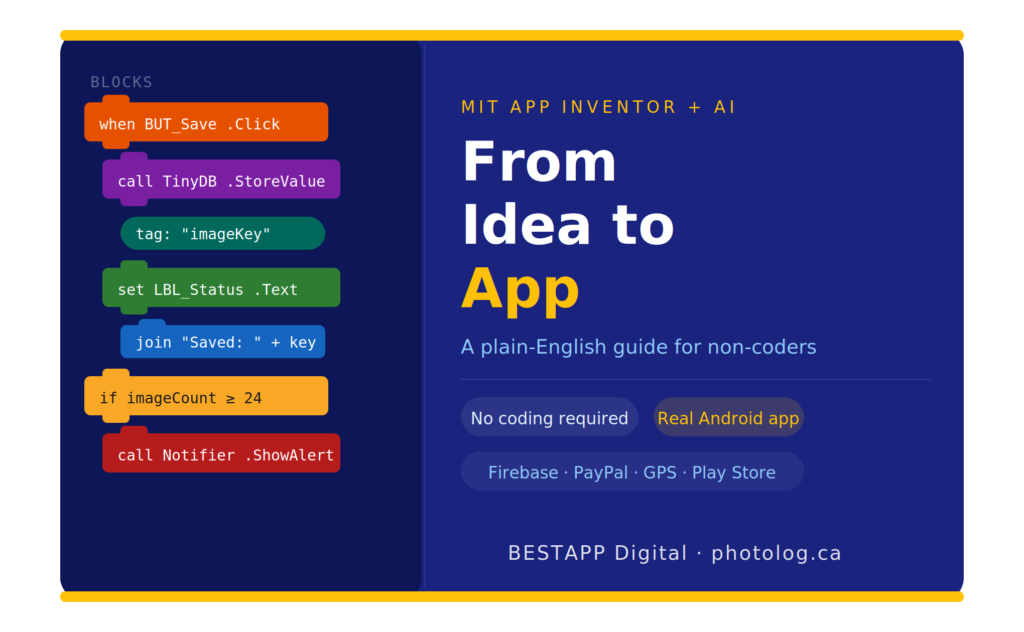
If you want a more detailed walkthrough of the development process and how to work effectively with AI as your co-developer, I’ve written a practical guide: From Idea to App — A Plain-English Guide for Non-Coders. It covers everything from your first App Inventor session through to Play Store submission, written from the perspective of someone who actually went through it.
You can find it on Etsy and Gumroad.
And if you want to try PhotoLog itself — download it free at photolog.ca.
Eldon Beix is the founder of BESTAPP Digital and the developer of PhotoLog. Questions? Email bestappdigital@gmail.com with the subject line “PhotoLog Question”.